
Grok AI Image & Video Generator: Free Access, Ghibli Style, and How to Use It
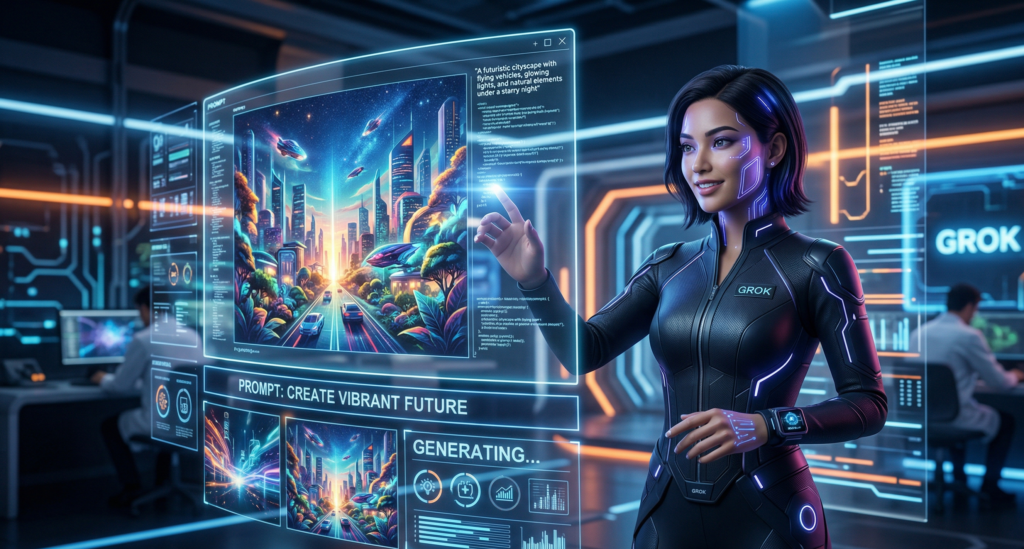
The world of AI art moves fast. Just when you think you have mastered prompting Midjourney or ChatGPT, a new contender enters the arena. Enter Grok AI—the witty, rebellious chatbot from Elon Musk’s xAI.
But is Grok just another text bot, or can it actually generate images and videos? If you’ve been searching for a grok ai image generator free option or wondering how to nail that whimsical Grok AI Ghibli style, you’re in the right place.
Here is the honest truth: Grok has evolved significantly. As of early 2026, Grok (via “Grok Imagine”) is a fully multimodal powerhouse capable of generating high-definition video and stunning images. However, there are caveats regarding free tiers and content restrictions. This guide will walk you through exactly how to use it, the ethical rules for mimicking specific art styles, and the best workflows if you hit a paywall.
- Does it generate images? Yes. Grok has “Grok Imagine” for text-to-image and text-to-video.
- Is it free? Partially. Free users get very limited generations (e.g., ~10 images/2 hours), while premium plans ($30-$40/mo) unlock video and higher limits.
- Ghibli Style: Yes, Grok excels at “Studio Ghibli-inspired” art if you use specific style modifiers like watercolor texture or cel-shading.
- Video Generation: Yes, Grok Imagine 1.0 can generate 10-second 720p videos with audio.
- Best Alternative: If Grok is too restricted, tools like MyEdit (for free images) or Runway (for video) are excellent fallbacks.
What is Grok AI? (And Who is it For?)
Grok AI is the large language model developed by xAI, deeply integrated into the X (formerly Twitter) platform. Unlike the clinical tone of ChatGPT or the corporate neutrality of Gemini, Grok is designed to be “humorous” and “rebellious.” It has real-time knowledge of the world via the X platform.
Regarding the grok ai application, it started as a text-only conversationalist. However, with the rollout of Grok Imagine, it has transformed into a creative suite. Whether you are a marketer needing rapid social media assets, a content creator looking for concept art, or just a fan wanting to turn a selfie into an anime character, Grok now fits the bill.
Does Grok AI Have an Image Generator? (The “Imagine” Feature)
Yes. Grok currently features Grok Imagine 1.0. This isn’t just a simple filter; it is a native text-to-image and text-to-video engine. According to xAI, this version allows for 10-second video clips at 720p resolution with synchronized audio.
How it works:
You simply type a command into the Grok chat window on X or the standalone SuperGrok app. For example: “Generate a photorealistic image of an astronaut riding a horse on Mars.”
Limitations:
- Heavy Moderation: Grok has faced controversies regarding deepfakes. Consequently, it has strict safety filters that may block certain “risky” prompts or celebrity likenesses.
- Consistency Issues: While great for single images, keeping the exact same character across multiple generations (character consistency) is not as refined as Midjourney yet.
Grok AI Image Generator Free: Is It Really Free?
This is the million-dollar question. Currently, there is a free tier, but it comes with strict guardrails.
The Free Experience:
- Users can access Grok 3 for free, but the image generation quota is low. Current reports suggest a limit of roughly 10 images every 2 hours or 6 images per session, depending on server load.
- You will likely see a floating watermark in the corners of your images.
- Video generation is usually locked behind a paywall.
The Paid Experience (SuperGrok / X Premium+):
- Cost: Starts at $30/month for SuperGrok or $40/month for X Premium+.
- Benefits: Up to 500 video generations per day, higher priority during peak times, and access to the latest “Grok 4” reasoning models.
Workaround if you need more free images:
If you hit the Grok limit, use Grok strictly for prompt engineering. Ask Grok to write a complex prompt for you, then copy that prompt into a free tool like MyEdit or Bing Image Creator (DALL-E 3), which have different quota systems.
Grok AI Ghibli Style: Prompts and Ethics
The “Ghibli style” trend is everywhere. However, it is crucial to note that Grok AI has no official partnership with Studio Ghibli. You are generating inspired art, not official merchandise.
The Ethical Line
It is generally acceptable for personal use, wallpapers, or fan art. However, selling AI-generated images that explicitly rip off the “Studio Ghibli” name for commercial products could land you in legal hot water. Always check your local copyright laws regarding style mimicry.
How to Prompt Ghibli Style on Grok
Grok responds best to descriptive aesthetic modifiers. Do not just say “Ghibli.” Use the vocabulary of the studio: whimsical, hand-painted, cel-shaded, soft pastel, warm nostalgia.
5 Prompt Examples to Copy/Paste:
- The Landscape: *”A whimsical, hand-painted village at dusk, cel-shaded, soft pastel palette, gentle rim light, 2D animation aesthetic, floating mountains in background, 3:2 aspect ratio, high detail.”*
- The Character: “A young witch flying on a delivery broom over a coastal Mediterranean town, watercolor texture, Miyazaki color palette, wind-blown hair, dreamy atmosphere.”
- The Creature: “A giant, fuzzy forest spirit sleeping under a mossy log, sunlight rays filtering through leaves, childlike wonder, glowing eyes, hand-drawn style.”
- The City: “An old European bathhouse repurposed as a spaceship, smoke rising, whimsical mood, painterly detail, nostalgic tones.”
- The Food: “A quiet breakfast table with eggs and toast, fluttering curtains, subtle motion blur, bittersweet nostalgia, cel-shaded highlights.”
Grok AI Video Generator: How to Use It
Contrary to some older articles claiming Grok can’t do video, Grok Imagine 1.0 supports native video generation as of February 2026.
The Specs:
- Length: Up to 10 seconds.
- Resolution: Up to 720p.
- Audio: Includes synchronized audio and sound effects.
Step-by-Step Video Workflow:
- Open Grok (Premium subscription required for video on most accounts).
- Type: *”Generate a 10-second video of a futuristic Tokyo street at night, neon lights reflecting in puddles, rain falling, cinematic 4K style.”*
- Wait 30-60 seconds.
- Refine: If the movement is jittery (a common AI video issue), ask Grok to “smooth the motion” or “slow down the camera pan.”
If Video is Locked (The Workaround):
If you cannot afford the $30+ subscription, use Grok to generate the keyframes (static images) and animate them elsewhere.
- Workflow: Grok (Generate 5 static frames of a character) $\rightarrow$ Runway Gen-2/Gen-3 or Pika Labs (Upload image and prompt “Animate this character walking”) $\rightarrow$ Filmora (Edit and add sound).
Practical Use Cases for Creators
- Marketing Visuals: Generate unique, quirky product backgrounds instantly.
- Concept Art: Use Grok’s fast generation speed to iterate through 20 character designs in 10 minutes before moving to Photoshop.
- Social Media Memes: Grok’s “rebellious” nature makes it great for generating niche, edgy memes that other censored AIs might refuse.
- Rapid Storyboards: Filmmakers can type a script beat and generate a visual storyboard shot-by-shot using Grok Imagine.
Prompt Engineering Tips (Get Better Results)
- Be Specific with the Negative: Ask Grok not to do things. “No blurry backgrounds, no extra fingers, no text on screen.”
- Use Style Tokens: Words like “Photorealistic,” “Anime Screencap,” “1980s Film Grain,” or “Macro Lens” change everything.
- Chain Prompts: Don’t ask for perfection on the first try. Generate an image, then reply: “Make the lighting warmer” or “Zoom out to show the whole room.”
- Aspect Ratio Matters: Specify
--ar 16:9for YouTube thumbnails or--ar 9:16for TikTok/Instagram Reels. - Leverage “Spicy Mode”: Grok has a “Spicy Mode” (unfiltered mode). Use it for creative fiction or fantasy art, but remember it is heavily monitored for real-person deepfakes.
Pros and Cons of Grok AI (Image/Video)
Pros:
- Speed: Grok generates images remarkably fast compared to DALL-E 3.
- Integration: Seamlessly built into X. You can generate, post, and reply without switching tabs.
- Video Audio: The ability to generate 10-second clips with audio in one go is a game-changer.
- Humor: It understands absurdist humor better than most AI, leading to more creative outputs.
Cons:
- The Paywall: The best features (video, high-res) are expensive ($30-$40/mo).
- Watermarks: Free images have visible watermarks.
- Censorship Rollercoaster: Depending on the latest news cycle, Grok’s filters get tighter or looser unpredictably.
- Quality Ceiling: For hyper-realistic stock photography, Midjourney is still the king. Grok can look slightly “AI glossy.”
Alternatives and Integrations
If you love Grok’s personality but need more power, here is how to mix and match:
Frequently Asked Questions (FAQ)
Is Grok AI free to use for image generation?
Yes, there is a free tier, but it is limited (approx. 10 images per 2 hours). To unlock the Grok AI image generator free experience without limits, you generally need a SuperGrok subscription ($30/month).
Can I make a GROK AI Ghibli-style image of my pet?
Yes. Upload a photo of your pet to Grok and prompt: “Convert this cat into a Ghibli-style illustration, hand-drawn, soft lighting, watercolor texture.” Grok will maintain the pet’s likeness while applying the anime aesthetic.
Does Grok AI have a video generator?
Yes. Grok Imagine 1.0 supports generating 10-second videos at 720p resolution with sound. This feature is typically reserved for premium subscribers.
Is Grok AI better than Midjourney?
It depends. Midjourney is generally superior for photographic realism and artistic fidelity. Grok is better for speed, humor, and the ability to generate short video clips within the same chat interface.
Can I use Grok-generated images for YouTube videos?
Yes, generally. However, check the xAI terms of service. If you are monetizing, avoid generating images that explicitly mimic trademarked characters (e.g., actual Pikachu or Mickey Mouse). Ghibli-inspired original characters are safer.
Final Thoughts and Next Steps
Grok AI has shed its skin as just a “snarky chatbot” and evolved into a legitimate multimedia creation tool. While the grok ai application for image and video is powerful, the paywall for the best experience is a real hurdle for casual users.
If you are already an X Premium+ user, you have one of the best value AI image generators on the market at your fingertips—especially with the native 10-second video feature. If you are a free user, use Grok to brainstorm and draft your prompts, then take those prompts to free alternatives like MyEdit or Bing to bypass the usage limits.
Ready to start creating?
Try pasting the “Ghibli-style village” prompt from above into Grok right now. If you hit the free limit, check out the MyEdit link below to keep the art flowing.
Have you tried generating a video with Grok Imagine yet? Share your results in the comments or subscribe to our newsletter for more AI workflow breakdowns.